Library Overview
Discover a wealth or learning content including Courses, Screens, Quizzes and Radiology Images in the Library
跳转到类别

Introduction
The Library section contains all learning content on the platform, including Courses, Quizzes, Screens, Models, and Radiology Images. You can filter these media types using the 5 tabs at the top of the screen: Courses, Content, Models, Video, and Radiology.链接到此步骤
Courses
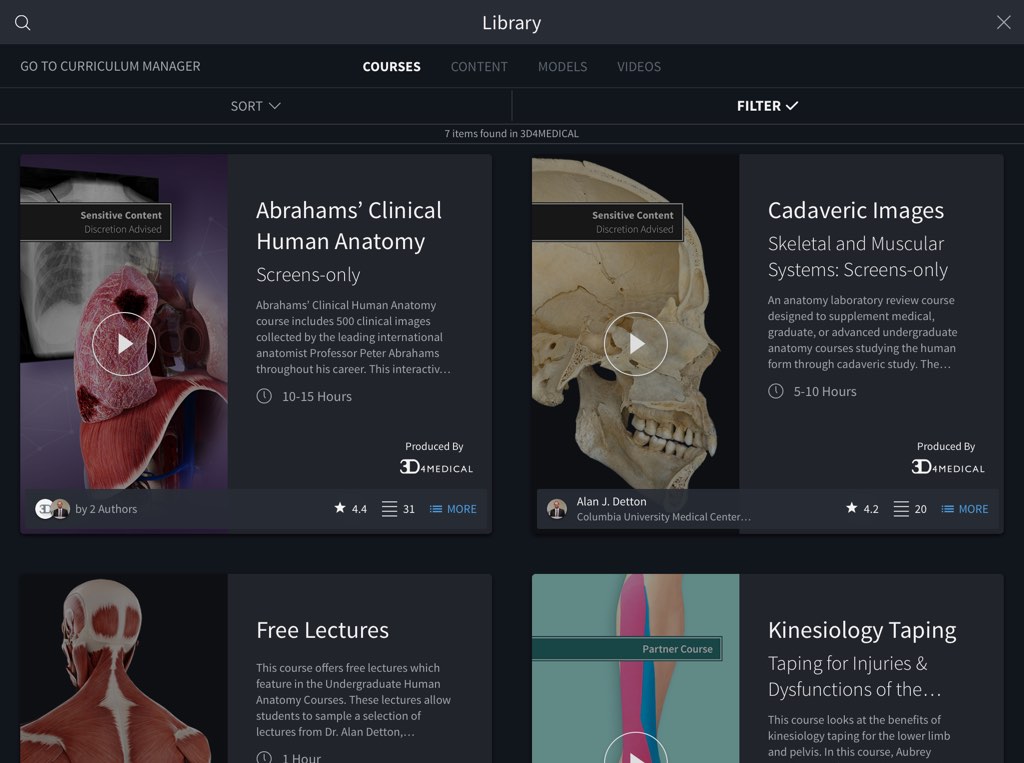
The Courses section contains any Course, Module, or Lecture. Courses currently available in English only链接到此步骤
Content
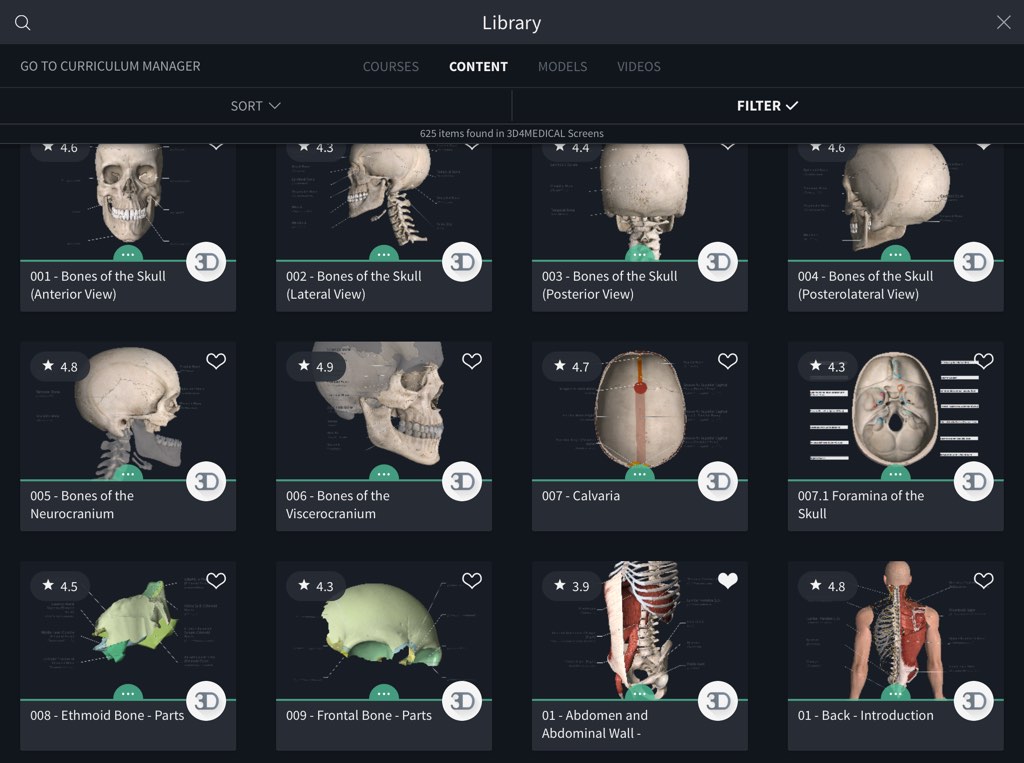
Within the Content section, find what you need using the Filter dropdown panel at the top of the screen. You can search using content name, sort by most recent, filter by group, or sort by a particular body region or gender. Use a combination of filters to quickly find the Screen, Recording, Question, or Quiz you need. Select any thumbnail to view the content. When any content is open, the library will be visible on the right hand side of the app. Drag the arrows to the left in order to open the full library again. Access editing options by selecting the more icon on any item.链接到此步骤
Models
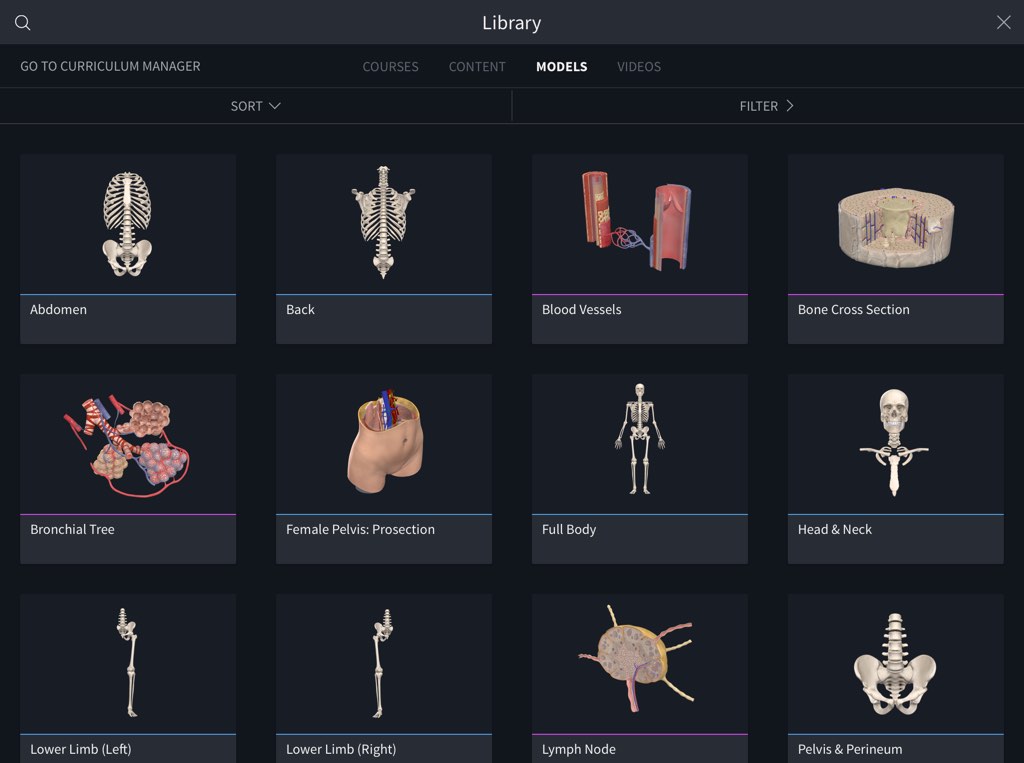
The Models tab shows all of the gross and micro anatomical models, including specific regions such as the female pelvic prosection.链接到此步骤
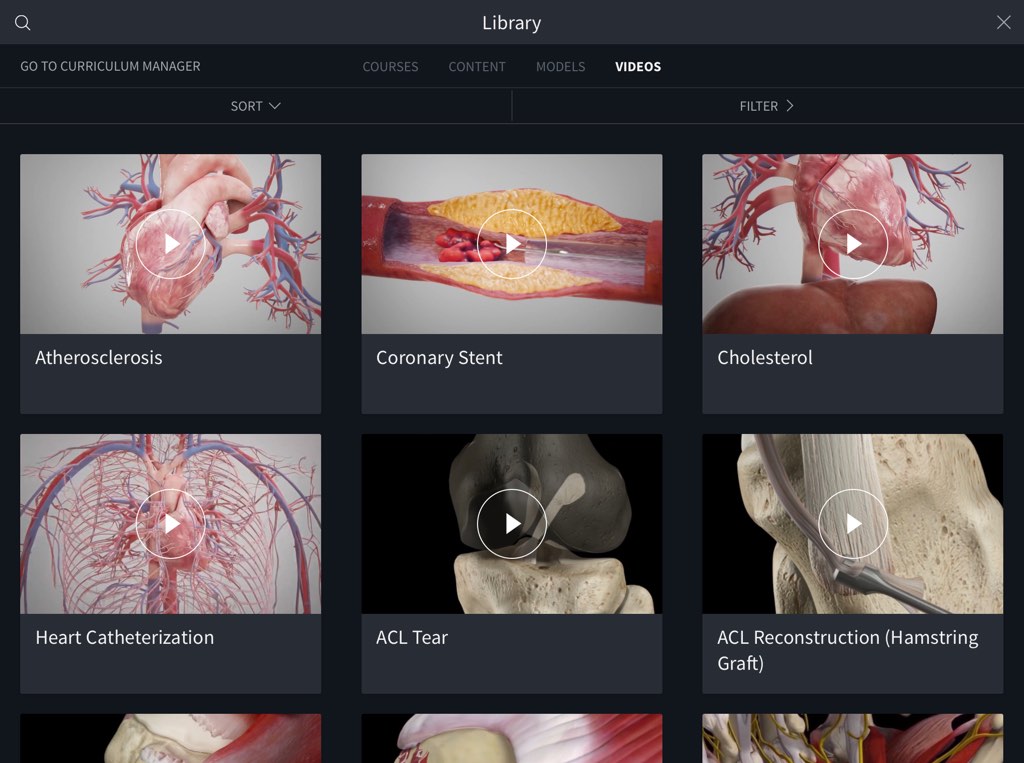
Videos
Access over 1,500 animations of procedures, pathologies and exercises in the Videos tab. Sort by name or most recently viewed, or use the Filters panel to find exactly what you need.链接到此步骤
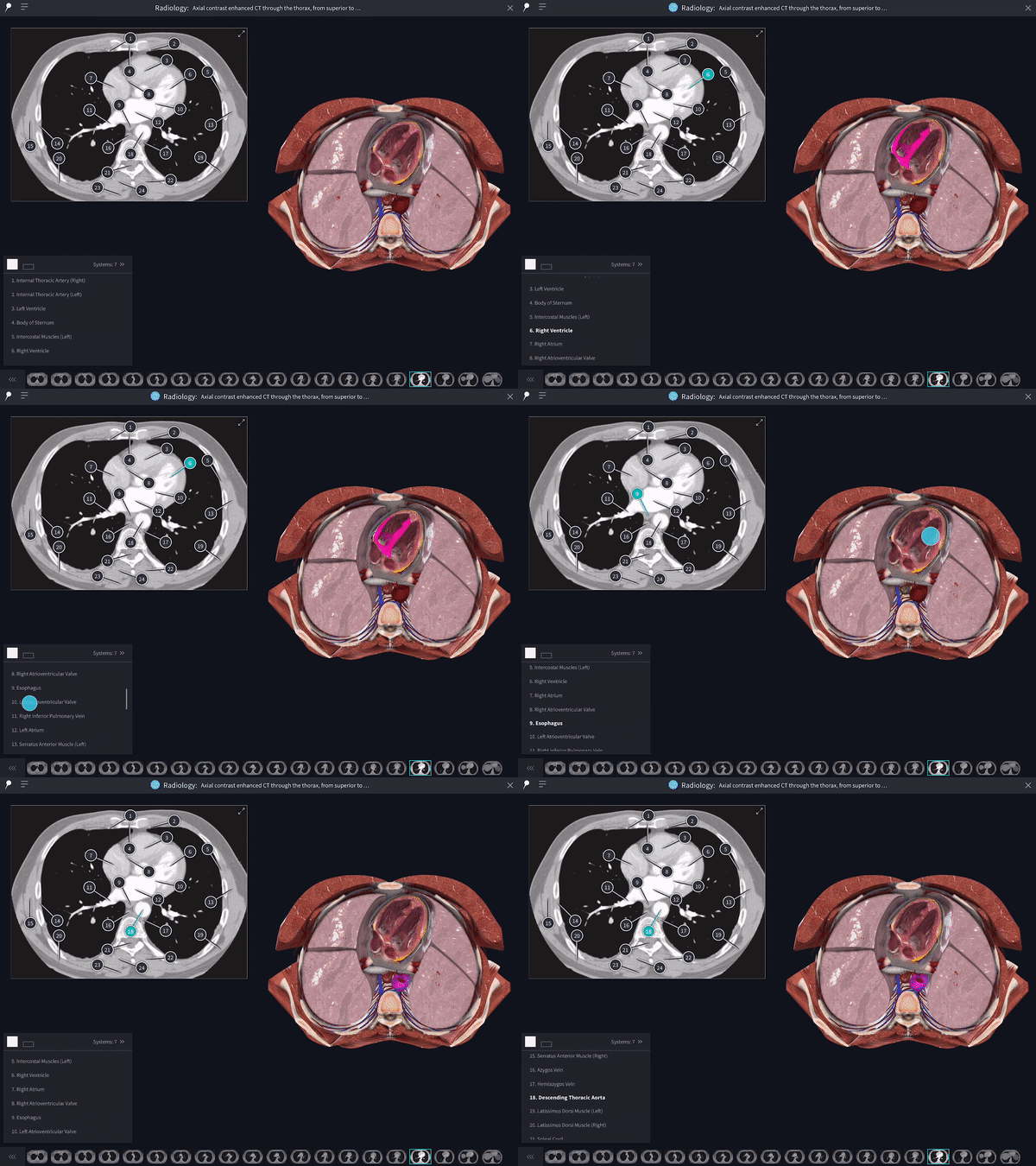
NEW: Radiology Images
Explore a suite of radiology images and correlate their structures to the what you see on the 3D model. Learn more链接到此步骤
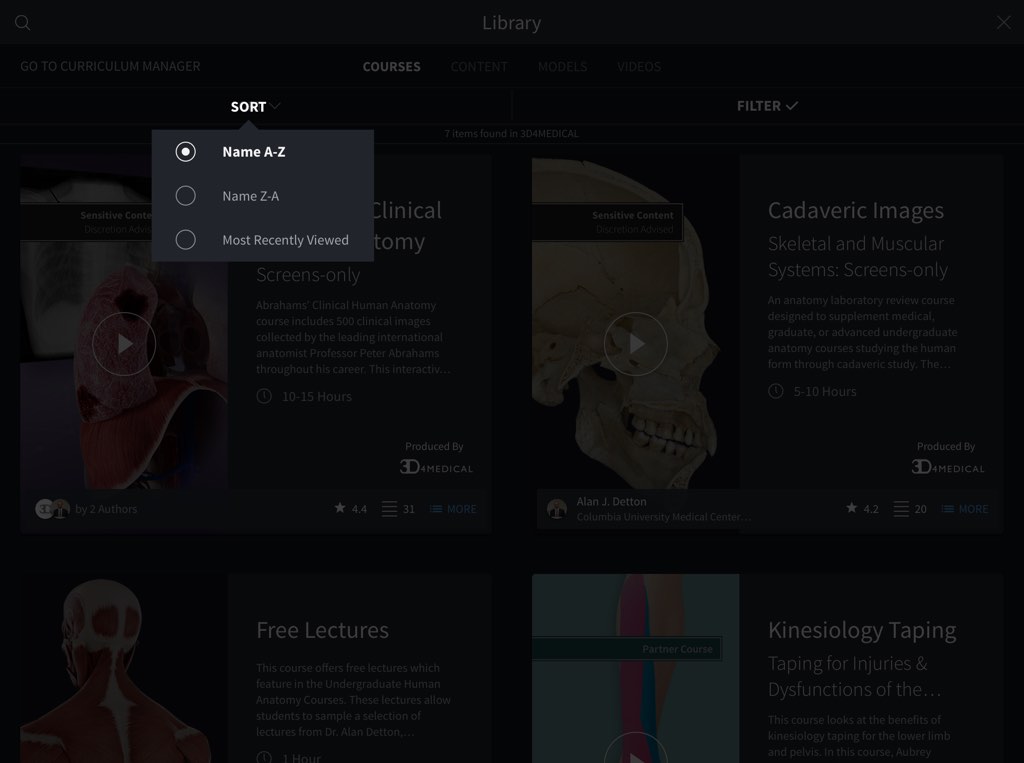
Sort
Any of the content within the Library may be sorted by name or by most recently viewed链接到此步骤
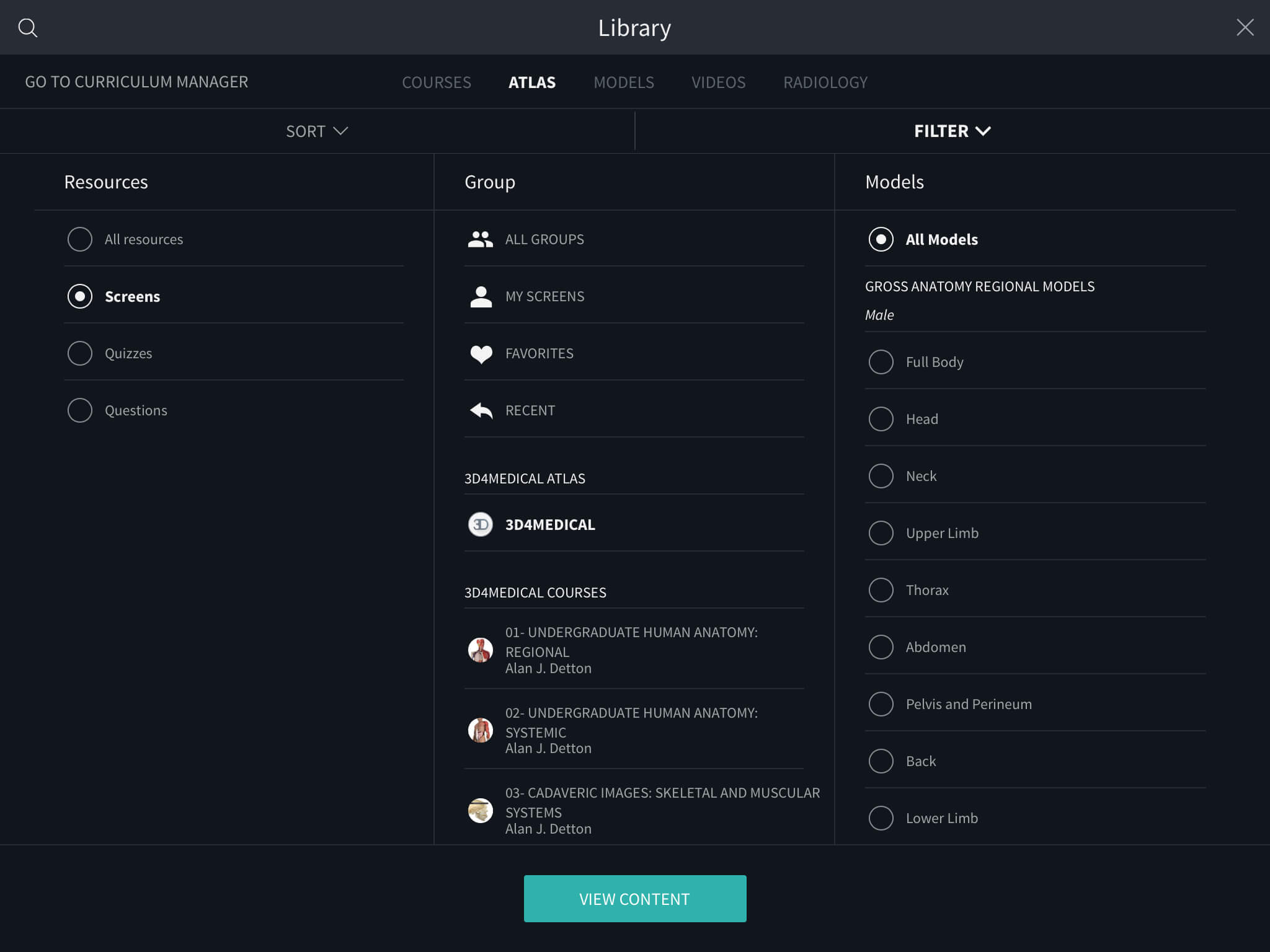
Filter
Use the Filter dropdown panel to find exactly what you need by specifying a combination of filters.链接到此步骤
资料库概况
在资料库中发现丰富的知识或学习内容,包括课程,视频,测验和放射影像。(当前以英语提供课程和测验,即将推出其他语言)
跳转到类别
介绍
“资料库”包含平台上的所有学习内容,包括课程、测验、视频、模型和放射学图片。您可以使用视频顶部的5个标签页来过滤这些媒体类型:课程、内容、模型、视频和放射影像。链接到此步骤
课程
“课程”部分包含您购买的任何课程,模块或讲座。链接到此步骤
内容
在“内容”部分中,使用视频顶部的“过滤器”下拉面板找到所需的内容。您可以使用内容名称搜索,按最新名称排序,按组过滤或按特定身体部位或性别排序。使用过滤器组合可以快速找到所需的视频,记录,问题或测验。选择任何缩略图以查看内容。打开任何内容,该库将在应用程序的右侧可见。向左拖动箭头以再次打开完整的库。通过选择项目上的更多图标来访问编辑选项。链接到此步骤
模型
“模型”标签页显示所有的总体和微观解剖模型,包括特定区域,例如女性骨盆假体。链接到此步骤
视频
在“视频”标签页中访问1,500多种过程,病理学和练习的动画。按名称或最近查看的时间排序,或使用“过滤器”面板精确查找所需内容。链接到此步骤
排序
资料库中的所有内容都可以按名称或按最近查看的顺序排序链接到此步骤
过滤器
Use the Filter dropdown panel to find exactly what you need by specifying a combination of filters.链接到此步骤